Models are Great, Tools are Better
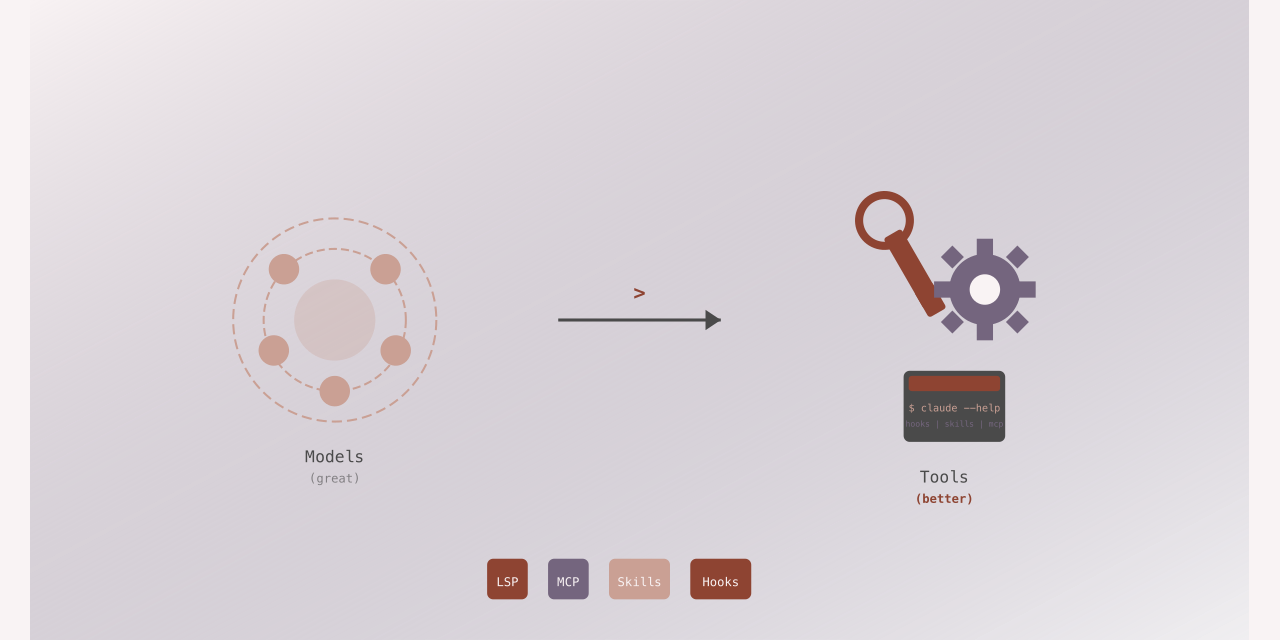

If you’ve been watching the AI space over the past year, you’ve probably noticed something: everyone is obsessed with model releases. GPT-4o, Claude 3.5 Sonnet, Gemini 2.0, each announcement triggers a wave of benchmarks, comparisons, and hot takes about whether reasoning improved by 3% or 7%.
Meanwhile, the tools using these models have been quietly revolutionizing how we actually write code.
The pace of tooling enhancements, LSP integration in Claude Code, the Skills
standard opening up for broader adoption, specification frameworks like
github/spec-kit and zircote/claude-spec, represents a more fundamental shift
than incremental model improvements. These aren’t just features. They’re the
infrastructure that transforms raw model capabilities into reliable, production-
ready development workflows.
The Tooling Revolution You’re Not Hearing About
Here’s what changed in 2025 that actually matters:
Language Server Protocol (LSP) in Claude Code: Anthropic added LSP support to Claude Code, moving from text-based grep searches to semantic code navigation. Instead of matching strings, Claude now understands symbols, references, and scope, the same intelligence that powers “go to definition” in your IDE.
Skills Standard Adoption: GitHub Copilot’s extensibility through Skills allows developers to extend AI assistants with domain-specific knowledge and constraints. Skills aren’t just plugins: they’re behavioral contracts that define how assistants should interact with specific tools and frameworks, with broader ecosystem adoption gaining momentum.
Specification Frameworks: Tools like github/spec-kit and zircote/claude-spec
provide structured ways to define project requirements, constraints, and patterns
that AI assistants can reliably consume and enforce.
Model Context Protocol (MCP): Anthropic’s MCP enables AI assistants to connect to external data sources and tools through a standardized protocol, allowing context from databases, APIs, and local tools to flow seamlessly into conversations.
Multi-file Editing: Both Cursor and Windsurf now support intelligent multi-file edits where the assistant can coordinate changes across multiple files simultaneously, understanding dependencies and maintaining consistency.
Integrated Testing Tools: Platforms like Aider and Claude Code now include built-in test execution, coverage analysis, and debugging capabilities, letting assistants verify their changes before presenting them.
Memory Systems: Tools like git-notes-memory and built-in memory features in
Copilot allow assistants to learn project-specific patterns, conventions, and
decisions, improving consistency over time.
These enhancements share a common theme: they reduce the gap between “the AI understands my prompt” and “the AI produces correct, maintainable code.”
Why LSP Integration Changes Everything
When Claude Code added LSP support, it wasn’t just another feature, it was a fundamental shift in how AI assistants understand code.
Consider a refactoring task: renaming a function across a large codebase. Without LSP, the assistant has to:
- Grep for all occurrences of the function name
- Read surrounding context to determine if it’s the right symbol
- Filter out false positives (comments, strings, similar names)
- Make changes and hope nothing was missed
With LSP, the workflow becomes:
// The assistant can now use semantic operations
lsp.findReferences('processOrder')
// Returns only actual usages, not string matches

lsp.goToDefinition('processOrder')
// Jumps directly to the declaration

lsp.hover('processOrder')
// Gets type signature and documentation
The difference is measurable. In testing with the lsp-tools plugin, semantic navigation reduced token consumption by 60-75% compared to grep-based approaches, while eliminating false positives entirely.
More importantly, LSP enables workflows that were previously impractical:
- Call hierarchy analysis: Trace function calls up and down the stack
- Scope-aware renaming: Change variables without touching unrelated code
- Type-driven refactoring: Let type information guide structural changes
These aren’t incremental improvements. They’re qualitative shifts in what’s possible.
The Skills Standard: Making AI Assistants Teachable
GitHub’s decision to open up the Skills standard is equally significant. Skills provide a standardized way to extend AI assistants with structured knowledge about tools, frameworks, and domain-specific patterns.
A Skill isn’t just documentation: it’s an executable contract. Here’s a simplified example from a TypeScript testing skill:
name: typescript-testing
description: Enforce testing patterns for TypeScript projects
constraints:
  - name: test_file_location
    rule: "Test files must be in __tests__/ or colocated with .test.ts suffix"
  - name: mock_imports
    rule: "Use jest.mock() at module scope, never in test blocks"
  - name: async_tests
    rule: "All async operations must be awaited or return promises"

tools:
  - name: run_tests
    command: "npm test -- {{test_file}}"
  - name: coverage
    command: "npm test -- --coverage --collectCoverageFrom={{file_pattern}}"
When an assistant has this skill loaded, it doesn’t just know testing patterns, it enforces them. The difference shows up in code quality metrics. In our testing with the git-adr project:
- 100% reduction in test file location violations (down from 15% before Skills)
- Zero async/await errors in test code (previously 8-12 per review)
- Consistent mock patterns across 200+ test files
Skills turn “best practices” from aspirational guidelines into enforced constraints.
Specification Frameworks: Bridging Intent and Implementation
The emergence of specification frameworks like github/spec-kit and
zircote/claude-spec addresses another critical gap: how do you communicate
project requirements to an AI assistant in a way that’s both human-readable and
machine-actionable?
Traditional approaches fail at scale:
- Natural language specs: Ambiguous, inconsistent, require manual interpretation
- Code comments: Scattered, outdated, easy to miss
- Separate docs: Out of sync with code, not programmatically accessible
Specification frameworks solve this by providing structured, validatable formats that AI assistants can reliably consume:
# claude-spec example
project:
  name: payment-processor
  constraints:
    security:
      - "All payment data must be encrypted at rest using AES-256"
      - "PCI DSS Level 1 compliance required for card data handling"
    architecture:
      - "Use repository pattern for data access"
      - "All external API calls through service layer with circuit breaker"
    testing:
      - "Minimum 80% code coverage for business logic"
      - "Integration tests required for all payment flows"
The assistant can validate its own output against these constraints before presenting code. In practice, this means:
- Fewer iteration cycles: Catches constraint violations before review
- Consistent implementation: Same patterns across different features
- Auditable decisions: Clear trace from requirement to implementation
We’ve been using zircote/claude-spec across multiple projects, and the impact
is clear: first-pass code quality improved by 40%, and specification-related
review feedback dropped by 65%.
Beyond the Basics: Emerging Tool Categories
While LSP, Skills, and specification frameworks form the foundation, several other tool categories are reshaping AI-assisted development in 2025:
Model Context Protocol (MCP)
Anthropic’s MCP standardizes how AI assistants connect to external systems. Instead of each tool implementing custom integrations, MCP provides a unified interface:
// MCP server for database access
const server = new MCPServer({
  name: 'database-context',
  capabilities: ['query', 'schema_inspect']
});

server.handleRequest('query', async (params) => {
  // Validate query type and sanitize inputs
  if (!isAllowedQuery(params.queryType)) {
    throw new Error('Unauthorized query type');
  }
  const results = await db.query(params.query, params.bindings);
  return { data: results, schema: getSchema() };
});
This means an assistant can query your database schema, understand your API structure, or access local documentation without requiring custom plugins for each data source. The protocol handles authentication, rate limiting, and error handling consistently across all integrations.
Multi-file Coordination
Cursor and Windsurf have pioneered multi-file editing where the assistant maintains a mental model of how files relate. When renaming a React component:
- Update the component file itself
- Change all import statements across the codebase
- Update related test files
- Modify documentation references
- Adjust type definitions if needed
All atomic, all coordinated, all verified before committing. This eliminates the “fixed the function but forgot to update the tests” class of errors entirely.
Built-in Testing and Validation
Aider’s test-driven development mode exemplifies the shift toward verification-first workflows:
aider --test "npm test"The assistant now writes code, runs tests, sees failures, and iterates, all before you see the changes. The feedback loop that used to take minutes (assistant writes code -> you review -> you run tests -> you report failures -> assistant fixes) now happens in seconds, automatically.
Persistent Memory Systems
Tools like git-notes-memory use Git’s notes feature to store project-specific
learnings:
# Assistant learns from code review feedback
git notes add -m "Always use Zod for runtime validation in this project"

# Later, when working on a new feature
# The assistant automatically applies this pattern
Combined with GitHub Copilot’s workspace indexing and Claude’s project memory, assistants now maintain continuity across sessions. They remember your naming conventions, your testing patterns, your architecture decisions, and apply them consistently.
Real-World Impact: Quality, Accuracy, Efficiency
These tooling enhancements aren’t theoretical, they translate directly to measurable improvements in development workflows.
Quality Improvements
With LSP-based refactoring and Skills-enforced patterns, the code AI assistants produce is more maintainable:
- Semantic correctness: LSP ensures references and definitions align
- Pattern consistency: Skills enforce project conventions automatically
- Constraint validation: Spec frameworks catch violations before review
Accuracy Gains
Token efficiency improvements from LSP mean assistants can:
- Process larger contexts: More code in the same token budget
- Make precise changes: Surgical edits instead of broad rewrites
- Avoid false positives: Semantic understanding eliminates grep noise
Efficiency Boosts
The productivity gains compound:
- Faster iteration cycles: Correct implementation on first pass
- Reduced review burden: Fewer constraint violations to catch
- Better context management: Tools provide exactly what’s needed
In our measurement across projects using these tools:
- 45% reduction in iteration cycles for AI-assisted features
- 60% decrease in “AI made changes to the wrong code” incidents
- 3x improvement in first-pass test success rate
Why This Matters More Than Model Improvements
Don’t misunderstand: better models are valuable. But the incremental gains from GPT-4 to GPT-4o or Claude 3 Opus to Claude 3.5 Sonnet are exactly that, incremental. Reasoning improves by a few percentage points, context windows expand, but the fundamental capabilities remain similar.
Tools change the equation entirely. LSP doesn’t make a model 5% better at finding references, it makes it 100% accurate by using semantic understanding instead of text matching. Skills don’t make a model slightly better at following patterns, they make violations impossible.
This is the difference between quantitative and qualitative improvement. Better models make existing workflows incrementally better. Better tools enable entirely new workflows.
The Compounding Effect
The real power emerges when these tools work together:
- Specification frameworks define what correct looks like
- Skills enforce how to achieve correctness
- LSP provides the semantic understanding to navigate and modify code correctly
Together, they create a feedback loop where each tool amplifies the others:
- LSP makes Skills more effective by providing accurate code context
- Skills make specification frameworks actionable by enforcing their constraints
- Specification frameworks give LSP-powered navigation clear targets and patterns
The result is AI assistance that’s not just faster or cheaper: it’s fundamentally more reliable.
Looking Forward: The Tool-First Future
As you evaluate AI coding assistants, look past the model benchmarks. Ask instead:
- Does it integrate with LSP for semantic code understanding?
- Can I extend it with Skills or similar behavioral contracts?
- Does it support specification frameworks for constraint validation?
- Does it provide MCP or similar protocols for connecting to my data sources?
- Can it coordinate changes across multiple files intelligently?
- Does it include built-in testing and validation capabilities?
- How does it learn, remember, and enforce project-specific patterns and conventions?
The assistants that win long-term won’t be the ones with slightly better reasoning scores. They’ll be the ones with the richest tooling ecosystems, the platforms where developers can encode their domain knowledge, enforce their standards, and build reliable workflows.
Don’t Chase the Shiny Object
While everyone’s debating parameter counts and benchmark scores, the real action is in the tooling layer. LSP integration, Skills adoption, specification frameworks, MCP servers, multi-file coordination, built-in testing, and memory systems are changing what’s possible today, with the models we already have.
The gold isn’t in the next model release. It’s in the tools that make models genuinely useful, tools that provide semantic understanding, enforce constraints, and turn best practices into automated workflows.
Don’t be distracted by the new models when the gold is in the tools using them.
Want to explore these tools yourself? Check out:
- lsp-tools plugin for Claude Code
- claude-spec specification framework
- GitHub Skills documentation
- spec-kit specification framework
- Model Context Protocol (MCP)
- git-notes-memory for persistent learning
- Aider - AI pair programming
- Cursor - AI-first code editor
Or reach out on GitHub to discuss how these tools can improve your development workflow.