Hook-Driven Automated Test Framework for Claude Code
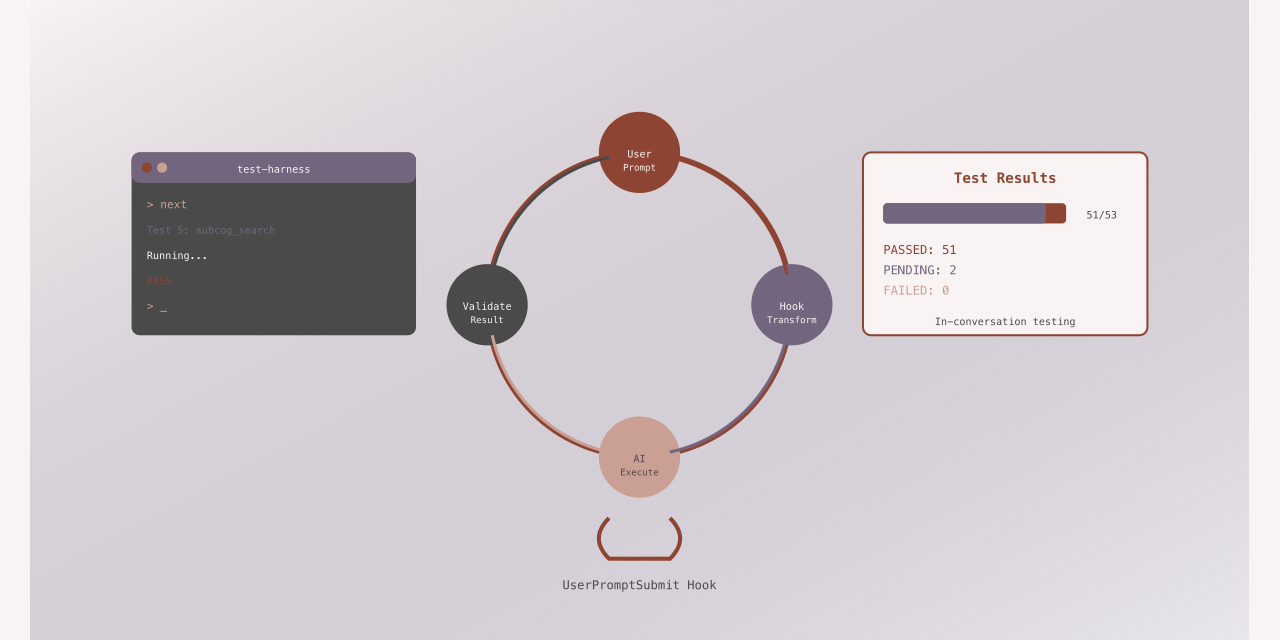

Most people test their MCP (Model Context Protocol) servers the hard way: write external scripts, manually invoke tools, copy-paste responses into validation logic. I spent three weeks doing this for the subcog memory server before realizing Claude Code’s hook system offered a better approach.
Hooks let you intercept user prompts before the AI sees them. That means you can type “next” and have it replaced with “Execute test 5: call subcog_search with category: code”. The AI runs the test, you validate the response, and the system automatically moves to the next test. All 53 tests run without leaving the conversation.
This isn’t theoretical. I’ve used this framework to validate every feature in subcog. It caught edge cases that would have shipped to production and provided reproducible regression tests. More importantly, it showed me a pattern that applies far beyond testing.
The Problem with External Test Harnesses
When you build an MCP server, you need to test it. The standard approach looks like this:
# External test script
echo '{"method": "subcog_init"}' | mcp-client call
# Parse response, check for expected fields
# Manually validate behavior
# Repeat for 50+ test cases
This works, but it has problems:
-
Disconnect from reality: Your tests call tools directly, not through the AI. You miss integration issues where Claude misinterprets a tool schema or produces unexpected output.
-
Manual validation: You write code to parse JSON responses and check fields. The AI could tell you what’s wrong faster than your assertion library.
-
No conversation context: Each test runs in isolation. You can’t easily test workflows where one tool call depends on results from another.
-
Maintenance burden: Schema changes mean updating test harnesses, assertion logic, and validation code.
I wanted tests that ran through Claude Code, exercised the actual tool-calling flow, and let the AI help with validation. Hooks made this possible.
The Key Insight: Prompt Interception
Claude Code fires hooks at specific lifecycle points. The UserPromptSubmit hook fires before the AI sees what you typed. The hook receives JSON via stdin with your prompt text and returns JSON via stdout. If you return {"replace": "new text"}, Claude sees the replacement instead of what you typed.
That’s the entire foundation. Everything else is orchestration.
Type “next” and the hook:
- Reads test state from a JSON file
- Loads the next test case
- Returns the test action as the replacement prompt
- Updates state to track progress
Claude Code receives “Execute this test: call subcog_init with include_recall: true” instead of “next”. It executes the tool call. You validate the response by typing “validate [response]” which triggers another hook that checks expectations and records pass/fail.
The conversation becomes a test runner. No external scripts. No separate processes. Just hooks transforming typed commands into test orchestration.
Architecture Overview
Here’s the complete flow:
┌─────────────────────────────────────────────────────────────────┐
│                     Claude Code Session                         │
├─────────────────────────────────────────────────────────────────┤
│                                                                 │
│   User Types: "next"                                            │
│        │                                                        │
│        ▼                                                        │
│   ┌─────────────────────────────────────────────────────────┐   │
│   │           UserPromptSubmit Hook                         │   │
│   │   (hooks/test-wrapper.sh)                               │   │
│   │                                                         │   │
│   │   1. Detect test mode (check state file)                │   │
│   │   2. Intercept command (next/skip/validate/etc)         │   │
│   │   3. Call runner.sh with command                        │   │
│   │   4. Return {"replace": "new prompt"}                   │   │
│   └─────────────────────────────────────────────────────────┘   │
│        │                                                        │
│        ▼                                                        │
│   User prompt replaced with test action:                        │
│   "Execute the following test:                                  │
│    Call subcog_init with include_recall: true"                  │
│        │                                                        │
│        ▼                                                        │
│   Claude executes the MCP tool call                             │
│        │                                                        │
│        ▼                                                        │
│   User types: "validate <response>"                             │
│        │                                                        │
│        ▼                                                        │
│   Hook validates against expected patterns                      │
│   Records PASS/FAIL, advances to next test                      │
│                                                                 │
└─────────────────────────────────────────────────────────────────┘
Five components make this work:
- Test definitions (JSON file with test cases)
- State management (JSON file tracking progress)
- Test runner (bash script orchestrating execution)
- Hook wrapper (intercepts user prompts)
- Hook configuration (registers the wrapper)
Each component has a specific role:
Component 1: Test Definition Schema
Tests live in JSON format. Each test specifies an action for Claude to perform and expectations for validation:
{
  "version": "1.0",
  "description": "Subcog MCP Server Functional Tests",
  "tests": [
    {
      "id": "init_basic",
      "description": "subcog_init with defaults returns guidance and status",
      "category": "initialization",
      "action": "Call subcog_init with include_recall: true, recall_limit: 5",
      "expect": [
        { "contains": "Session initialized" },
        { "contains": "Usage Guidance" },
        { "not_contains": "error" },
        { "regex": "Status:\\s+healthy" }
      ],
      "tags": ["critical", "smoke"]
    },
    {
      "id": "create_memory",
      "description": "Store a memory and capture its ID",
      "category": "crud",
      "action": "Call subcog_memory_store with content: 'Test memory', category: 'test'",
      "expect": [
        { "contains": "stored successfully" }
      ],
      "save": {
        "memory_id": "ID:\\s+(\\w+)"
      },
      "tags": ["critical"]
    },
    {
      "id": "retrieve_memory",
      "description": "Retrieve the memory we just created",
      "category": "crud",
      "action": "Call subcog_memory_get with id: ${memory_id}",
      "expect": [
        { "contains": "Test memory" },
        { "contains": "category: test" }
      ],
      "tags": ["critical"]
    }
  ]
}
The schema supports three validation types:
| Type | Purpose | Example |
|---|---|---|
contains | Response must include this text | "contains": "success" |
not_contains | Response must NOT include this text | "not_contains": "error" |
regex | Response must match pattern | "regex": "ID:\\s+(\\w+)" |
The save field lets you capture values from responses using regex capture groups. Tests later in the suite can reference saved variables with ${variable_name} syntax. This enables dependent test chains: create a memory, capture its ID, retrieve that specific memory, delete it.
Categories and tags support filtering. Run just initialization tests with --category initialization or critical tests with --tag critical.
Component 2: State Management
The framework stores state in .claude/test-state.json. This file persists across hook invocations (each hook call is stateless) and tracks:
{
  "mode": "running",
  "total_tests": 53,
  "current_index": 5,
  "current_test": {
    "id": "search_by_category",
    "description": "Search with category filter",
    "action": "Call subcog_search with category: 'code'",
    "expect": [
      { "contains": "results" }
    ]
  },
  "results": [
    {
      "id": "init_basic",
      "status": "pass",
      "failures": [],
      "timestamp": "2024-01-20T12:00:00Z"
    },
    {
      "id": "init_with_recall",
      "status": "fail",
      "failures": ["Missing: 'recent memories'"],
      "timestamp": "2024-01-20T12:01:00Z"
    }
  ],
  "saved_vars": {
    "memory_id": "abc123",
    "entity_id": "def456"
  },
  "filter_category": null,
  "filter_tag": "critical",
  "started_at": "2024-01-20T12:00:00Z",
  "completed_at": null
}
The mode field controls behavior: running means test commands are active, completed or aborted means pass through to normal hook behavior. The current_test holds the active test so validation logic can check expectations. Results accumulate with pass/fail status and failure details.
Saved variables enable test dependencies. When a test saves memory_id, subsequent tests can use ${memory_id} in their actions. The runner performs substitution before returning the test action.
Component 3: Test Runner Script
The bash script tests/functional/runner.sh handles all orchestration:
| Command | Description |
|---|---|
init [--category X] [--tag Y] | Initialize test run, optionally filter tests |
next | Get next test action to execute |
validate "response" | Validate response against expected patterns |
skip | Skip current test |
status | Show progress summary |
report | Generate full test report |
vars | Display saved variables |
abort | Stop test run |
Here’s the core validation logic:
cmd_validate() {
  local response="$1"
  local test_json=$(get_state_field "current_test")

  # Python validation script
  local failures=$(echo "$test_json" | python3 -c "
import json, sys, re

test = json.load(sys.stdin)
response = '''$response'''
failures = []

for exp in test.get('expect', []):
    if 'contains' in exp:
        if exp['contains'] not in response:
            failures.append(f\"Missing: '{exp['contains']}'\")

    if 'not_contains' in exp:
        if exp['not_contains'] in response:
            failures.append(f\"Unexpected: '{exp['not_contains']}'\")

    if 'regex' in exp:
        if not re.search(exp['regex'], response):
            failures.append(f\"Pattern not found: '{exp['regex']}'\")

print(json.dumps(failures))
")

  # Record result and advance to next test
  if [ "$failures" = "[]" ]; then
    record_result "pass" "[]"
    echo "## PASS: $(get_state_field 'current_test' | jq -r '.id')"
  else
    record_result "fail" "$failures"
    echo "## FAIL: $(get_state_field 'current_test' | jq -r '.id')"
    echo "$failures" | jq -r '.[]'
  fi

  advance_test
}
The script uses Python for JSON handling and regex matching because bash’s native capabilities are limited. Each command reads state, performs its action, updates state, and returns output.
The next command loads the current test, performs variable substitution, and returns the action formatted for Claude:
cmd_next() {
  local test=$(get_state_field "current_test")
  local action=$(echo "$test" | jq -r '.action')

  # Substitute saved variables
  local vars=$(get_state_field "saved_vars")
  action=$(echo "$vars" | python3 -c "
import json, sys, re
vars_dict = json.load(sys.stdin)
action = '''$action'''
for var, value in vars_dict.items():
    action = action.replace(f'\${{{var}}}', value)
print(action)
")

  echo "## Test $(get_state_field 'current_index')/$(get_state_field 'total_tests'): $(echo "$test" | jq -r '.id')"
  echo "**Category:** $(echo "$test" | jq -r '.category')"
  echo "**Description:** $(echo "$test" | jq -r '.description')"
  echo ""
  echo "### Action"
  echo "$action"
}
Component 4: Hook Wrapper
The hook wrapper hooks/test-wrapper.sh is where prompt interception happens:
#!/usr/bin/env bash
STATE_FILE=".claude/test-state.json"
RUNNER="tests/functional/runner.sh"

# JSON helper for proper escaping
json_replace() {
  local content="$1"
  python3 -c "
import json, sys
content = sys.stdin.read()
print(json.dumps({'replace': content}))
" <<< "$content"
}

# Check if test mode is active
is_test_mode() {
  [[ -f "$STATE_FILE" ]] || return 1
  local mode=$(python3 -c "
import json
with open('$STATE_FILE') as f:
    print(json.load(f).get('mode', ''))
")
  [[ "$mode" == "running" ]]
}

handle_user_prompt_submit() {
  local input=$(cat)
  local prompt=$(echo "$input" | python3 -c "
import json, sys
print(json.load(sys.stdin).get('prompt', ''))
")
  local normalized=$(echo "$prompt" | tr '[:upper:]' '[:lower:]' | xargs)

  if is_test_mode; then
    case "$normalized" in
      next|n)
        local output=$("$RUNNER" next)
        json_replace "Execute the following test:

$output"
        return 0
        ;;

      validate*)
        local response="${prompt#validate }"
        local output=$("$RUNNER" validate "$response")
        json_replace "$output"
        return 0
        ;;

      skip|s)
        local output=$("$RUNNER" skip)
        json_replace "$output"
        return 0
        ;;

      status)
        local output=$("$RUNNER" status)
        json_replace "$output"
        return 0
        ;;

      report)
        local output=$("$RUNNER" report)
        json_replace "$output"
        return 0
        ;;

      abort|a)
        local output=$("$RUNNER" abort)
        json_replace "$output"
        return 0
        ;;
    esac
  fi

  # Pass through to normal hook if not in test mode
  echo "$input" | subcog hook user-prompt-submit
}

# Route based on first argument
case "$1" in
  user-prompt-submit)
    handle_user_prompt_submit
    ;;
  *)
    echo "Unknown hook: $1" >&2
    exit 1
    ;;
esac
The critical detail here is json_replace(). The hook must return valid JSON. Multiline content with special characters breaks naive approaches like echo "{\"replace\": \"$output\"}". Using Python’s json.dumps() handles all escaping correctly.
The fallthrough to subcog hook user-prompt-submit ensures normal hook behavior when not in test mode. This wrapper intercepts test commands but lets other prompts pass through to the actual subcog hooks.
Component 5: Hook Configuration
Register the wrapper in hooks/hooks.json:
{
  "hooks": {
    "UserPromptSubmit": [
      {
        "matcher": "*",
        "hooks": [
          {
            "type": "command",
            "command": "${CLAUDE_PLUGIN_ROOT}/hooks/test-wrapper.sh user-prompt-submit"
          }
        ]
      }
    ]
  }
}
The matcher: "*" means this hook fires for every user prompt. The wrapper’s is_test_mode() check determines whether to handle test commands or pass through.
Complete Execution Flow
Here’s a complete test cycle:
1. Initialize the test run
User: /run-testsThe /run-tests command is a chat command that calls runner.sh init, creating .claude/test-state.json with mode: "running" and loading all tests.
Claude responds:
# Subcog Functional Test Suite
**Total tests:** 53
Type **next** to begin testing.
2. Execute first test
User: nextHook intercepts “next”, calls runner.sh next, gets test action back, replaces prompt with:
Execute the following test:

## Test 1/53: init_basic
**Category:** initialization
**Description:** subcog_init with defaults returns guidance and status

### Action
Call subcog_init with include_recall: true, recall_limit: 5
Claude executes the tool call and shows results:
Session initialized successfully.

Usage Guidance:
- Store memories with subcog_memory_store
- Search with subcog_search
- Retrieve with subcog_memory_get

System Status: healthy
Recall: 5 recent memories loaded
3. Validate the response
User: validate Session initialized successfully. Usage Guidance shows. System Status: healthyHook intercepts, calls runner.sh validate "...", which checks:
- Contains: “Session initialized” (pass)
- Contains: “Usage Guidance” (pass)
- Not contains: “error” (pass)
- Regex: “Status:\s+healthy” (pass)
All expectations pass. Runner records result, advances to next test, returns:
## PASS: init_basic
Type **next** to continue to the next test.
4. Continue through tests
User: nextRepeat for all 53 tests. Use skip to bypass problematic tests, status to check progress, abort to stop early.
5. Generate report
User: reportHook calls runner.sh report, which generates:
# Subcog Functional Test Report

**Total:** 53 | **Passed:** 48 | **Failed:** 3 | **Skipped:** 2

## Failed Tests

### FAIL: search_with_regex (test 23)
**Failures:**
- Missing: 'matched 5 results'

### FAIL: memory_update_metadata (test 35)
**Failures:**
- Pattern not found: 'updated_at:\\s+\\d{4}'

...
Four Critical Implementation Insights
1. JSON Escaping is Non-Negotiable
This breaks:
echo "{\"replace\": \"$output\"}"Newlines, quotes, and special characters produce invalid JSON. Python handles escaping correctly:
json_replace() {
  python3 -c "
import json, sys
print(json.dumps({'replace': sys.stdin.read()}))
" <<< "$1"
}
This cost me two hours of debugging when multi-line test output would cause Claude Code to reject the hook response.
2. State Must Persist Between Invocations
Each hook call is a separate process. Without persistent state, you can’t track progress. The .claude/test-state.json file is the memory that makes this work.
Originally I tried environment variables. That failed because each hook invocation gets a fresh environment. File-based state is the only reliable approach.
3. Complex Objects Need Special Handling
When extracting nested JSON objects from state:
# WRONG - Python repr uses single quotes
print(data.get('current_test', ''))
# Output: {'id': 'test1', ...}  <- Invalid JSON!

# CORRECT - json.dumps for complex types
val = data.get('current_test', '')
if isinstance(val, (dict, list)):
    print(json.dumps(val))
else:
    print(val)
This bug caused test expectations to fail parsing because the state extraction returned Python dict repr instead of JSON.
4. Hook Passthrough for Normal Operation
When not in test mode, hooks must behave normally:
if is_test_mode; then
  # Handle test commands
else
  # Normal operation - pass through
  echo "$input" | subcog hook user-prompt-submit
fi
Without this, the test wrapper breaks all normal subcog functionality. The wrapper must be transparent when tests aren’t running.
Five Extension Ideas Beyond Testing
This pattern applies anywhere you need to guide, validate, or transform human-AI interaction:
1. API Integration Testing
Test any MCP server or API by defining expected request/response patterns. Same architecture works for REST APIs, GraphQL, or gRPC services.
2. Workflow Automation
Create guided multi-step workflows with validation at each step. Type “next” to advance through deployment checklists, code review processes, or documentation updates.
3. Training and Onboarding
Build interactive tutorials where hooks guide users through exercises and validate their work. The AI explains concepts, the hook checks that users performed the correct actions.
4. Regression Testing
Automatically run feature checks after deployments. Define test cases for critical user workflows and validate that nothing broke.
5. Compliance Validation
Verify AI responses meet specific criteria or policies. Intercept prompts to inject compliance checks, validate outputs against security policies, log interactions for audit trails.
The core pattern is: intercept input, inject behavior, validate output. Testing is one application. Any scenario where you need programmatic control over the conversation can use this architecture.
Files Reference
| File | Purpose |
|---|---|
tests/functional/tests.json | Test definitions (53 tests) |
tests/functional/runner.sh | Test orchestration script |
hooks/test-wrapper.sh | Hook integration wrapper |
hooks/hooks.json | Hook registration |
.claude/test-state.json | Runtime state (auto-created) |
tests/functional/report.md | Generated test report |
What This Actually Enables
I built this framework to test subcog. What I discovered was a capability Claude Code ships but nobody talks about: programmatic control over the conversation itself.
You can intercept prompts before the AI sees them. You can inject context based on what the user typed. You can validate outputs and block actions. You can build automation that lives inside the AI session rather than outside it.
The test framework is one implementation. The pattern is bigger.
Most AI coding assistants treat you as the human providing instructions to the machine. Claude Code’s hook system lets you become the orchestrator controlling both sides of the conversation. That’s a different model entirely.
It’s also underutilized. The hook documentation exists but most users don’t realize what it enables. This test framework took three days to build. It would have taken three weeks with external test harnesses and manual validation.
The next time you need to automate something around your AI assistant, check if hooks can do it. Chances are, they can. And the solution will be simpler than you expect.
Links and Resources
- Claude Code Hook Documentation
- Subcog MCP Server (the test subject)
- Hook Test Framework Source (full implementation)
- Model Context Protocol (MCP specification)
The complete test framework lives in the subcog repository. It runs 53 functional tests covering initialization, CRUD operations, search, filtering, entity extraction, and memory recall. All through hooks and conversation commands.
If you build something with this pattern, let me know. I’m curious what other applications people find.